Incident Report Log Book: Professional Incident Tracking Simplified
Whether you're managing a small retail shop, overseeing a freelance creative studio, or running a community organization, things don't always go according to plan. Equipment breaks, miscommunications happen, and unexpected events disrupt workflows. The difference between a chaotic workplace and a well-managed one often comes down to how you document and respond to these moments. That's where having a structured system like an Incident Report Log Book becomes genuinely valuable—not as another piece of administrative clutter, but as a practical tool that keeps everyone accountable and informed.
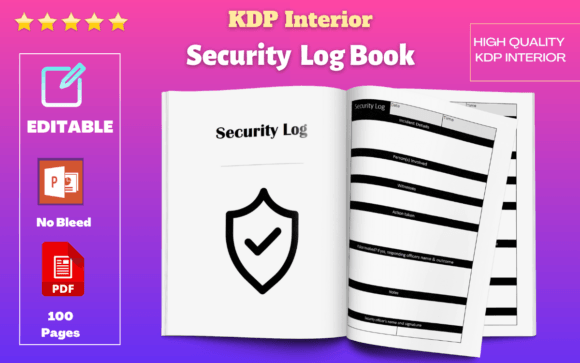
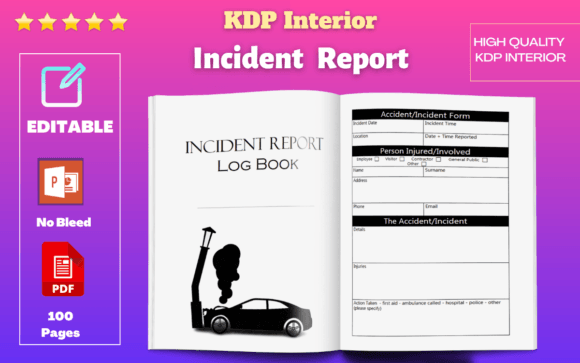
This particular log book was designed with real-world use in mind. It ships in two formats—fully editable PowerPoint and print-ready PDF—so you can customize entries digitally or keep a physical copy at your desk. The interior runs 100 pages, sized at 6" x 9" with no bleed and resized vector graphics, which means everything prints cleanly whether you're using an office printer or sending it to a professional service. Commercial use is included, so small business owners and entrepreneurs can adapt it for client-facing operations without licensing headaches.
What Makes This Incident Tracker Stand Out
Most incident tracking templates either try to do too much or leave out critical details. This one takes a different approach by organizing information across two dedicated sheets, each designed to capture the most important details without overwhelming the person filling it out. The first sheet focuses on the incident itself—what happened, when, where, and who was involved. The second sheet tracks follow-up actions, resolutions, and any patterns worth monitoring over time.
This two-sheet structure works because it mirrors how incidents actually unfold. You document the event while it's fresh, then circle back later to record what was done about it. Keeping those two phases separate prevents the log from becoming a jumbled mess of half-finished notes. For anyone who's ever tried to reconstruct what happened three weeks later from a single-page form, the value of that separation is immediately obvious.
The visual design of the pages is clean and functional. Nothing decorative competes with the information fields, which keeps the focus on accuracy and completeness. That said, the layout isn't sterile—it has enough visual structure to guide your eye through each section logically. For designers and content creators who appreciate thoughtful typography and spatial organization in their design assets, this log book strikes a satisfying balance between utility and aesthetics.
Who Benefits Most from a Structured Incident Log
Small business owners managing teams will find this especially useful. When you're responsible for workplace safety, customer complaints, or vendor disputes, having a consistent record protects you legally and operationally. Insurance claims, HR conversations, and performance reviews all become easier when you can point to dated, detailed documentation rather than relying on memory.
Entrepreneurs and freelancers working with clients can use it to track project-related incidents—missed deadlines, scope changes, communication breakdowns, or quality issues. It's not about assigning blame; it's about creating a paper trail that supports honest conversations and fair resolutions. If you've ever had a client dispute spiral because neither side documented what was agreed upon, you understand the importance of this kind of record-keeping.
Marketers and bloggers managing campaigns or content calendars might adapt it for tracking platform outages, ad spend errors, or brand reputation issues. Publishers handling print runs or distribution logistics can log production errors or shipping delays. Even hobbyists and crafters who sell products at markets or online could use it to document product complaints or return patterns that inform future inventory decisions.
The versatility comes from its simplicity. Because the fields are straightforward and the layout is intuitive, you don't need training to start using it. Hand it to a new employee, a volunteer coordinator, or a fellow creative partner, and they'll understand the structure within minutes.
Working with the Included File Formats
The PowerPoint format is where customization happens. If your business has specific terminology, additional fields you need to capture, or branding elements you want to add—like a logo, company colors, or header text—the editable file makes that straightforward. You don't need Adobe Illustrator or InDesign experience. PowerPoint is familiar to most professionals, which lowers the barrier to personalizing the template for your exact needs.
The PDF format serves a different purpose. It's the polished, ready-to-go version you can print immediately or upload to a shared drive for team access. Because the interior was built with high-quality resolution and resized vector elements, text and lines remain sharp at any print size within the 6" x 9" dimensions. No pixelation, no blurry edges—just clean, professional-looking pages that hold up under scrutiny.
Having both formats means you're covered whether your workflow is primarily digital, print-based, or a hybrid of the two. Save the PDF to your tablet for on-site inspections. Print a stack of copies for the back office. Edit the PowerPoint to create department-specific versions. The flexibility respects the reality that different teams and situations call for different approaches.
Practical Tips for Getting the Most Out of Your Log Book
Start by deciding who will be responsible for entries. Consistency matters more than perfection—a log that's partially filled out by three different people is less useful than one maintained by a single point of contact. If you're a solo operator, that's you. If you manage a team, designate someone and make sure everyone knows to report incidents to that person promptly.
Fill out the first sheet as close to the event as possible. Details fade quickly, and vague entries like "customer was unhappy" don't help when you're reviewing records months later. Include names, dates, times, specific descriptions, and any witnesses. The more precise the initial documentation, the more valuable the log becomes as a reference tool.
Use the second sheet religiously. An incident without follow-up is just a complaint in a notebook. Record what actions were taken, when, and by whom. Note whether the issue was resolved and whether any policy changes resulted. Over time, patterns emerge—recurring problems with a specific vendor, repeated customer confusion about a product feature, or seasonal spikes in certain types of incidents. Those patterns are where the real strategic value lives.
Review the log monthly. Even ten minutes of scanning recent entries can surface insights that inform staffing decisions, process improvements, or training priorities. Treat it not as a chore but as a feedback mechanism that helps your operation run more smoothly.
A Simple Tool That Solves a Real Problem
In a landscape full of complicated project management platforms and expensive enterprise software, there's something refreshing about a straightforward Incident Report Log Book that does one thing well. It doesn't promise to revolutionize your workflow or integrate with seventeen other apps. It gives you a clean, well-organized place to record what went wrong and what you did about it.
For creatives, publishers, small business owners, and anyone who values having their operations documented properly, this kind of design asset earns its place on the shelf. The commercial license means you can adapt it for professional use, and the dual-format delivery ensures it fits into whatever system you already have in place. Sometimes the most impactful tools are the simplest ones—thoughtfully designed, immediately useful, and built to handle the messy reality of day-to-day work.